Online scheduling poll: Find the best time with SurveyMonkey
Streamline your planning with our easy-to-use scheduling polls, making it simple to gather availability and preferences for meetings, events, and more.
Trying to coordinate meeting times with a group can quickly become a marathon of emails and endless group chats. Packed calendars and dispersed teams mean scheduling that should take five minutes often drags on for days.
Fortunately, there's a better way—scheduling polls eliminate all the back-and-forth. With SurveyMonkey, you can create a scheduling poll in minutes, share it anywhere, and instantly see the best time, every time.
What are scheduling polls?
Scheduling polls are online forms that propose meeting times and allow users to select the times that work for their schedule. Instead of endless messages, you propose a set of options and participants pick what works for them—including time windows, duration preferences, and even whether to meet virtually or in-person.
Scheduling polls help you quickly determine the best day, time, and place to meet, cutting out unnecessary delays due to scheduling. This way, you ensure everyone’s input is counted—and planning moves forward faster.
Use an online poll maker to schedule meetings fast
Learn how to use online polls to capture on-demand feedback that helps you schedule meetings faster without playing phone or email tag.
When to use a scheduling poll
Scheduling polls aren’t just office efficiency tools—they streamline any situation where a group needs to choose a time. Here are some common, time-saving scenarios:
Work meetings
Running a global stand-up or a quarterly review and need to find everyone’s availability? Share one link across teams and time zones, then pick the slot with the most “yes” votes.
Success looks like the invite going out once, and nobody rescheduling.
Shift planning
Restaurants, retail stores, and field teams can use a poll to collect availability before building the scheduling.
Success looks like a balanced schedule that covers peak hours without last-minute swaps.
Events
Whether it’s a committee meeting or a community workshop, a scheduling poll makes coordination easy and transparent.
Success looks like high turnout and no last-minute rescheduling.
Family and social plans
Reunions, group trips, volunteer days, or game nights—reduce follow-ups and finalize plans faster.
Success looks like everyone showing up because they have a say in when it happens.
How to create an online scheduling poll with SurveyMonkey
1. Sign up free
Create your account and pick a ready-made layout from our expert-certified templates library. Prefer to start from scratch? Open a blank survey on our online poll maker and add a multiple-choice or checkbox question or generate a scheduling poll with Build with AI using a prompt, like “I want to create a scheduling poll for an hour-long quarterly planning meeting for my company’s people managers.”
Tip: Keep your poll title specific (e.g., “Q4 planning—60-minute review”).
2. Add your question
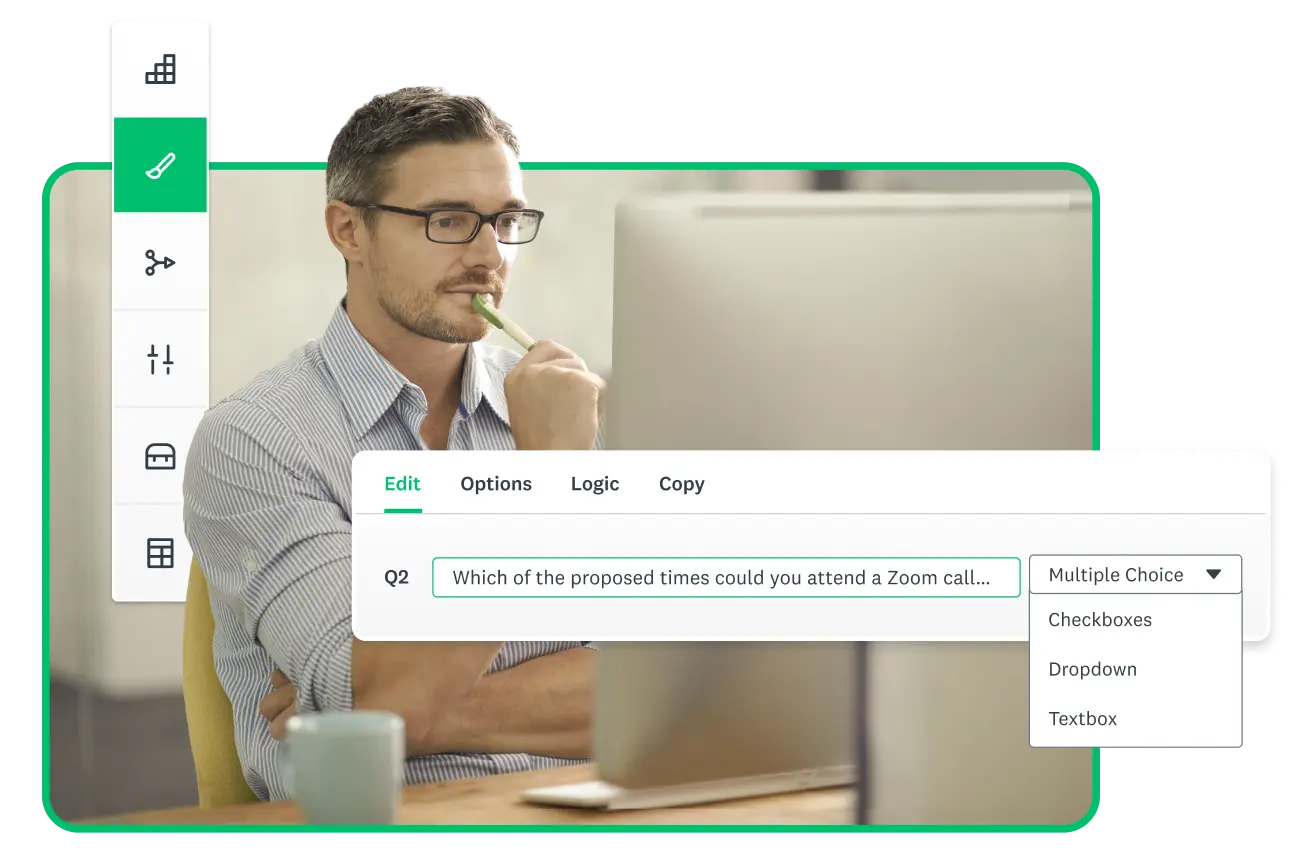
Ask something clear, like “Which of the proposed times could you attend a Zoom call to discuss the Q3 budget?” Give five to seven options, so people can easily scan and decide.
Tip: Include the time zone in each option (e.g., “Tuesday, Jan. 14, 9–9:45am PT”).
3. Share the link
SurveyMonkey makes it easy to distribute your scheduling poll to involved parties. Post or send your poll by email, chat, or social. No account is required to answer. You can also embed the link on a page if your group is on an intranet or class site.
Tip: Add one line of context above the link so people know why it matters.
4. Track responses
You’ll see the votes in real time. Look for the slot with the most “yes” overlap. Use the response summary and exports to review picks at a glance.
Tip: If responses stall, only send one reminder to people who haven’t replied.
5. Pick the time and follow up
Close the poll, choose the best option, and send the calendar invite. Optional: Follow up with a quick confirmation survey to finalize attendance.
Tip: Keep the invite text short and repeat the time zone to prevent confusion.
Expert-backed ways to get better scheduling results
Getting a group to agree on a date is one step; how you set up the scheduling poll often determines how quickly people respond and how clear the outcome is. Small tweaks—like limiting options, clarifying time zones, and setting a clear deadline—help people respond faster and cut down on back-and-forth. Use these expert-backed tips to tune your next scheduling poll so it runs smoothly and leads to a confident decision.
- Use a Question Bank to keep your wording neutral and easy to understand.
- Add a required name or email field if you need accountable RSVPs; keep responses anonymous if you want candid picks.
- Confirm the availability of your highest-priority attendees to account for hectic schedules
- Cap answer options at five to seven to avoid choice overload and speed up decisions.
Why choose SurveyMonkey for scheduling polls
SurveyMonkey scheduling polls support flexible time zones, custom questions, and secure sharing, so groups of any size can confirm a time without extra email threads or tools. That combination helps teams move from proposed dates to confirmed meetings with less friction.
- Start fast. Choose an expert-built template or add questions from our certified Question Bank. Create a polished poll in minutes and get to decisions faster.
- Share anywhere. Send your link by email, drop it in chat, or embed it on a web page—wherever your team plans or connects.
- See results instantly. View responses in clear, visual charts that update in real time, or export data for a deeper look. Confident choices come easy when the data’s right in front of you.
- Collaborate securely. Manage access, set permissions, and organize polls with the same enterprise-grade controls you rely on across SurveyMonkey projects.
Frequently asked questions about scheduling polls
- Can respondents suggest other times in a scheduling poll?
- How many time options should I include in a scheduling poll?
- Can I keep responses private from participants?
- What if participants are in different time zones?
Make scheduling effortless with polls
Spend less time coordinating and more time making progress. With SurveyMonkey scheduling polls, you can find the time that works for everyone in just a few clicks, and keep projects moving without the back-and-forth. Create your poll, share it anywhere, and turn scheduling into real momentum.
Sign up free to start your first poll today and make planning effortless.
Discover more resources

Solutions for your role
SurveyMonkey can help you do your job better. Discover how to make a bigger impact with winning strategies, products, experiences, and more.

Travel survey questions: 40+ examples to improve guest and traveler feedback
Use these 40+ travel survey questions and templates to collect feedback, boost guest satisfaction, and improve every traveller’s experience.

When you need to ask follow-up questions
Follow-up questions are a great tool to gather more insightful, specific data from surveys. Here's how and when you need to ask follow up questions.

The pros and cons of survey prizes
Explore the pros and cons of offering survey prizes, assess whether you need them, and learn best practices for using survey incentives effectively.