Online poll maker (tips + templates!)
Launch a SurveyMonkey poll in minutes and start seeing trustworthy results in real time. Our online poll maker makes it easy to ask a question, share it with your audience, and turn quick responses into better decisions.
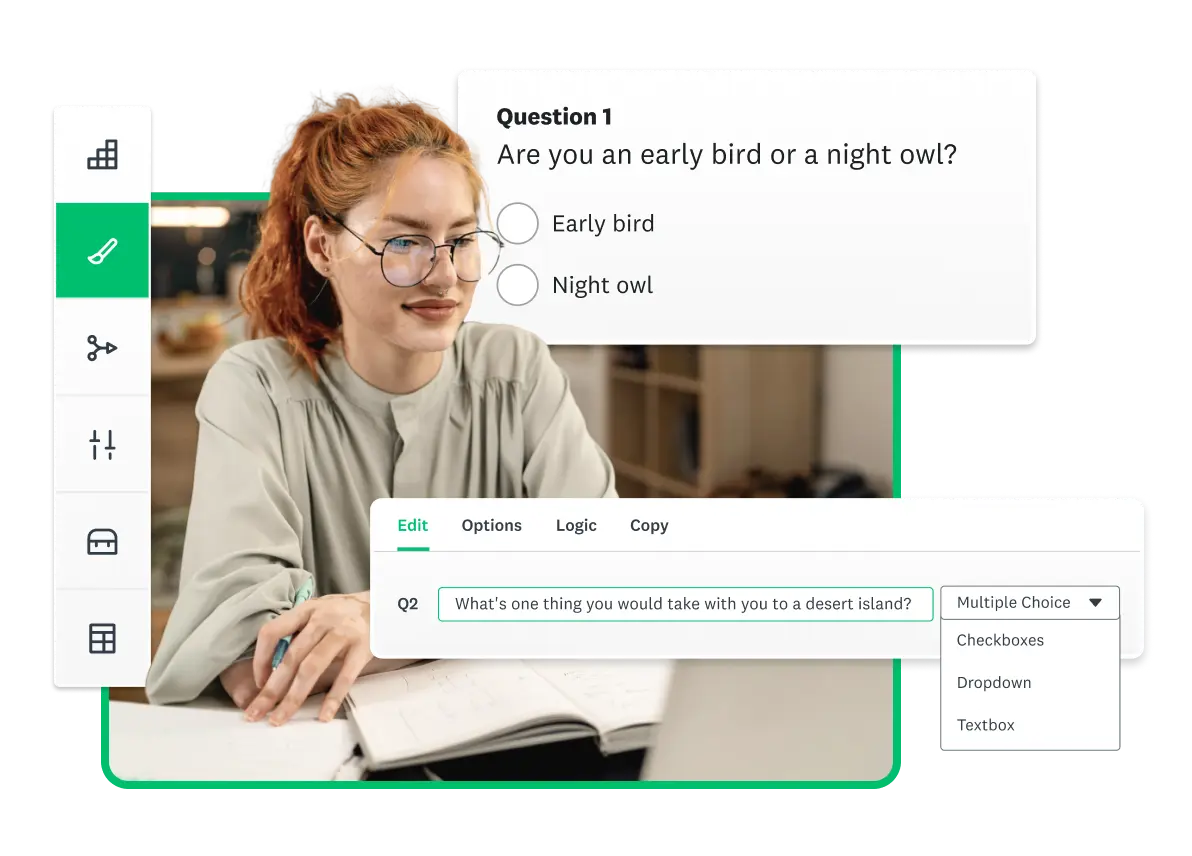
Use an online poll maker to get fast feedback
Online polls are a quick way to capture opinions, preferences, and reactions from any audience in real time. They help you validate ideas, compare options, and check sentiment without running a full survey.
When you use a poll maker, you show people that their input matters. You also get instant results that make it easier to spot trends, understand your audience or customers, and make decisions with confidence.
Want to poll a specific target audience?
Find people to survey with our global online panel, SurveyMonkey Audience. Choose your target demographics, pay only for the responses you need, and get results in days, not weeks.
How to make a poll
Create and deliver online polls quickly and easily. If you don’t already have a SurveyMonkey account, sign up for free and you can create and launch your online poll in minutes.
Follow these simple steps to make a poll:
- Write your poll question. Start with one clear question or a few short ones. Use our tips on how to create and conduct surveys or explore certified sample questions from our Question Bank to help you design an effective poll.
- Publish and share your poll. Send your poll link by email, post on social media, or embed it on your website. You can also buy high-quality responses through our automated consumer panel, SurveyMonkey Audience.)
- View results and take action. Once responses come in, use your results dashboard to spot trends, make better decisions, and share insights with your team or community.
As you set up your poll, check these key settings and options:
- Anonymous responses. Decide whether you want to collect identifiers like email addresses or make responses anonymous.
- One-response limits. Limit responses to one per email, device, or survey link to keep results clean and avoid repeat voting. Use the one-vote controls for election-style polls where only one vote per person is allowed.
- Sharing paths. Choose how people will see your poll: direct link, website embed, QR code, Email Invitation Collector, or built-in meeting integrations. Pick the path that best matches where your audience is.
- Preview and test vote. Before launch, check your poll on desktop and mobile. Submit a test vote to make sure the wording, options, anonymity, and one-response settings all work the way you expect.
A quick poll can go a long way
Online polls allow you to ask your audience for instant feedback on just about anything. Here are a examples of how you can use SurveyMonkey polls:
Add an element of fun by using online polls to keep your website visitors or Facebook or Twitter followers interested and engaged.
Gather customer opinions on new product or service offerings and track poll results over time.
Run tracking polls, horse race polls, and quick polls on hot-button issues for political campaigns and consulting.
Assess preferences for potential venues or agendas. Invite attendees to rate locations, entertainment, speakers, refreshments, and more.
Poll students for quick answers during instruction or lectures. Get feedback on instructor performance or specific classes.
Run polls to mobilize volunteers, collect RSVPs for events, and gather data from the field.
Quickly poll a sample audience with your preliminary research theories before investing significant time into developing a detailed hypothesis.
Poll travelers during a stay at a hotel or on an organized vacation to discover ways to improve their experience.
“On a scale of zero to 10, how likely are you to refer to a friend or colleague?” The collective response to this question can help you discover ways to improve customer engagement.
Mac or PC? iPhone or Android? Laptop or Desktop? Poll your audience on their favorite technology toys or general usage to make sure you’re developing the right software, apps, and resources for the market.
Agencies and government offices can quickly gauge citizen feedback to proposed changes or gather suggestions with an online poll.
You don’t have to spend loads of money to get answers. You just need to take advantage of our smart, cost-effective online survey tools. Not sure how to reach the right people? SurveyMonkey Audience gives you access to millions of respondents ready to provide the answers you need to make critical decisions.
3 quick tips to improve your polls
1. Keep it short and simple
For a straightforward respondent experience and fast feedback, use a multiple-choice format and a maximum of 1–5 poll questions. Short polls are easier to complete and give you cleaner data for quick decisions.
2. Give your audience the spotlight
Use polls to encourage your audience’s engagement. Ask for their opinions and preferences and, whenever possible, let them know why their input is important. When people understand how their responses will be used, they tend to answer more thoughtfully, which leads to better decisions.
3. Keep rating scale questions consistent
If you’re using Likert scales, a question type that measures attitudes and opinions, be sure to use the same point system for all questions. If 1 means “extremely satisfied” and 5 means “extremely dissatisfied,” maintain those answer options across your short poll. Consistent scales make it easier to compare answers and spot real patterns in the results.
Sample online polls
Use one of our survey templates as the basis for your online poll, or start with one or more of the many methodologically sound and certified questions in our Question Bank. While all of our questions are written by professional survey methodologists, you can always customize poll questions to fit your polling needs.
Just for fun
Polling is great for getting opinions on game night, vacation spots, movies, menus, or home makeovers. If you can think it up, you can make a poll about it!
General event feedback
Did attendees enjoy the event? How helpful was it? Would they like to see more like it? Make a poll to collect feedback that will help guide your future event planning.
Customer service
How would your customers rate their experience with your customer service team? Did they have to wait to get assistance? Was your team member courteous and helpful? Check how customers feel about recent support interactions and where your team can improve.
Website feedback
Use a pop up poll to uncover whether your website visitors are finding what they need on your website.
Employee programs
Poll your workforce for their feedback on employee programs and benefits—like training, commuting, health and wellness programs, and more.
Online social networking
Which sites do your audiences visit and how often? Use a simple poll to find out and then decide which channels are best for your social media marketing campaigns.
Health and nutrition
Poll clients to learn more about their habits and the changes they might like to make. Use online polls for quick progress checks and to share useful information in a fun way.
Launch an online poll with an expert-certified template
Choose from our ready-to-use poll templates to create, launch, and collect responses faster – all tailored to match your goals.
NPS, Net Promoter & Net Promoter Score are registered trademarks of Satmetrix Systems, Inc., Bain & Company and Fred Reichheld.
Discover more resources

Solutions for your role
SurveyMonkey can help you do your job better. Discover how to make a bigger impact with winning strategies, products, experiences, and more.

Product feedback surveys
Our product feedback surveys give you the insider knowledge you need to plan new products, grow your business and succeed in today's competitive marketplace. Here are a few ideas on how you can send product surveys, get feedback and develop successful marketing strategies. Get started now.

Why are surveys important in research?
Surveys are important in research because they offer a flexible and dependable method of gathering crucial data. Learn more today.

Ad testing: Why it matters and how to successfully perform it
Learn the best practices for performing an ad test—from brainstorming your questions to analyzing your results—so you can confidently land on the best option.
Create and send a poll for free in minutes
Use SurveyMonkey's survey templates or create yours to get the feedback you need.